ecobee Thermostat Install With Power Extender Kit, No C Wire
The short version
ecobee shows how to remove an existing thermostat and install an ecobee smart thermostat with the Power Extender Kit for homes without a C wire. It covers labeling wires at the furnace or air handler control board, mounting the kit, and wiring and mounting the new backplate and thermostat.
Full written account
Installing an ecobee thermostat with a Power Extender Kit
Homes without a C wire need the Power Extender Kit to run an ecobee smart thermostat. With a C wire, the kit is not needed. The process below follows the order ecobee gives.
At the furnace or air handler
Remove the panel of the furnace or air handler to find the control board. Loosen the screws and disconnect the wires, photographing them first. Use the supplied labels on the wires connected to the R, W or W1, G, and Y or Y1 terminals. A missing W or W1 wire is fine, and other wires on the Y or C terminals are ignored. Only wires that connect to the thermostat are labeled.
Push each wire into its matching spot on the kit. The buttons lower when a wire is inserted correctly, and a gentle tug confirms it. A wrong wire is released by pressing the button and pulling gently. Then connect the kit's five white wires to the matching control board terminals, for example W to W. The kit's magnetized back mounts to a metal surface inside the HVAC system without straining the wires. The control panel door must be closed correctly or the thermostat will not power on.
At the wall
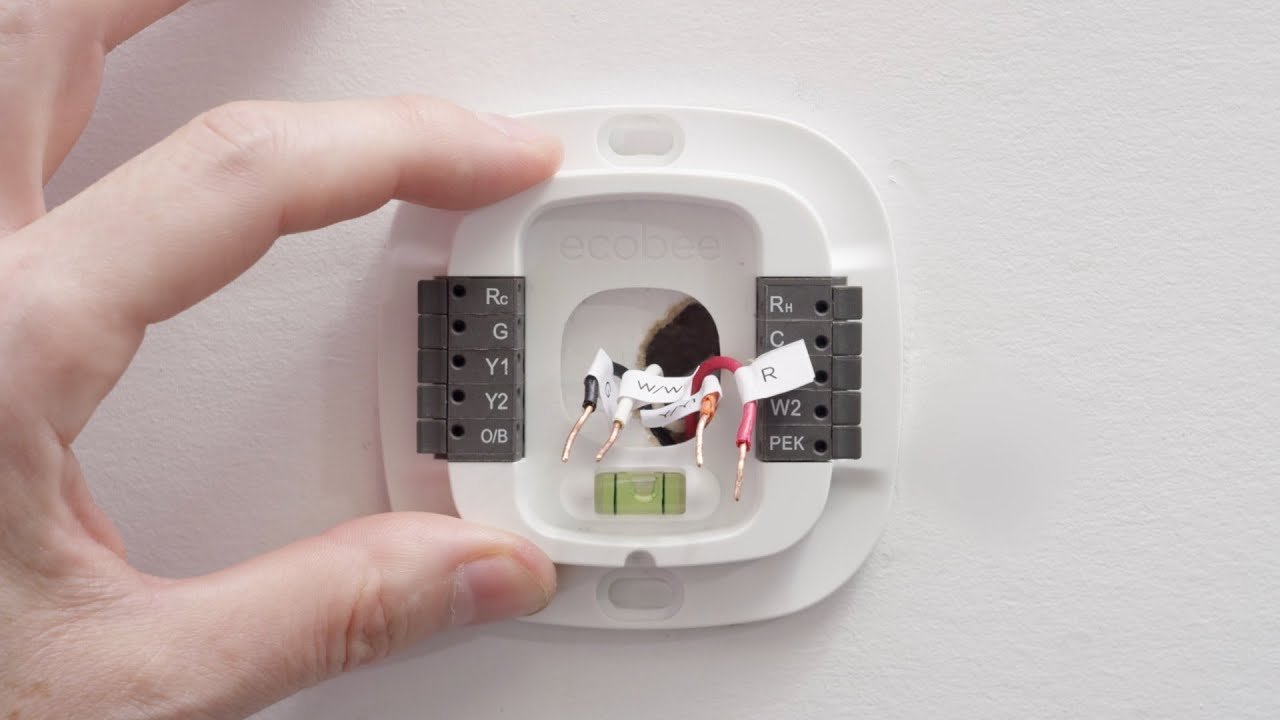
The large trim plate is optional and hides paint marks or holes left by a previous thermostat. Align its mounting holes with the backplate and press together until flush. Hold the backplate over the wire hole, level it with the built-in level, and mark the holes with a pencil. Drill two holes and mount it with the supplied drywall plugs and screws.
Wiring differs with the kit: the R, RH or RC wire goes into the RC terminal, the G wire into the C terminal, and the Y wire into the PEK terminal. The remaining wires go to their terminals by the labels. A single R wire goes to Rc, not RH. Levers lower when wires are seated correctly.
Finishing
Push excess wire back into the wall recess so the thermostat sits flat. Press the thermostat onto the backplate until it clicks; it should sit flush and not wobble. Turn the HVAC equipment and circuit breaker back on.
Questions this video answers
Do I need the Power Extender Kit?
Without a C wire, the video says to use the Power Extender Kit. With a C wire, you can install without connecting the kit.
What do I need for the kit installation?
A Phillips head screwdriver and wire label stickers for the Power Extender Kit part; a pencil and drill are used to mount the backplate.
Which wires get labeled?
Label the wires on the R, W or W1, G, and Y or Y1 terminals, and take a photo of the wiring first.
Why won't my thermostat power on?
The video says the thermostat will not power on if the control panel door is not closed correctly.
Where does a single R wire go?
Connect it to the Rc terminal, not the RH terminal.
Explore related projects
Connected by the topic: Electrical